
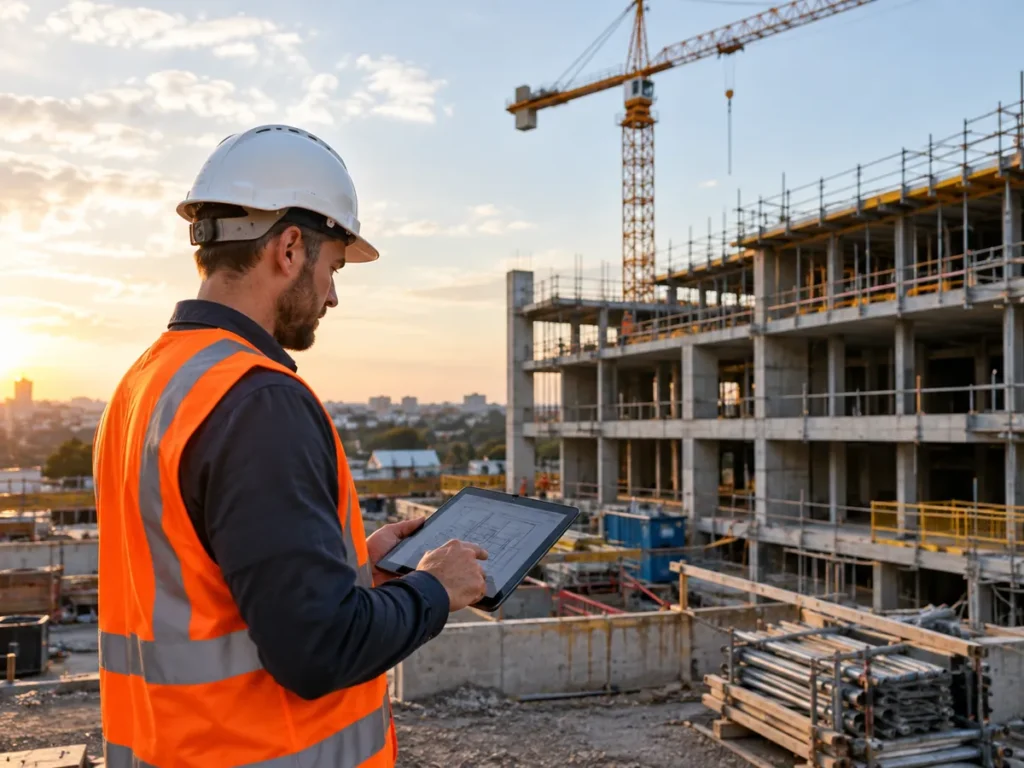
Your estimators have been working late yet again. A new addendum has landed an hour before the bid closes. Site teams chase RFIs over the phone in the meantime. Subcontractors show up for work that is not ready. Nobody notices the schedule slipping until the weekly meeting.
Expenses also increase. In week six, a variation is overlooked. By week twenty it’s a margin problem.
Every job is under pressure due to labor and material costs. Every hour lost matters.
These issues are visible in housing construction. In its February 2025 paper, the Productivity Commission found housing construction completes half as many homes per hour worked as it did in 1995. According to the McKinsey Global Institute, worldwide construction labor productivity increased by just 1% annually over a 20-year period. Across the global economy, it grew 2.8% annually over the same period.
AI won’t use force. However, the appropriate AI use cases can eliminate hours of paperwork and identify risk sooner for construction companies. This guide explains where AI works best, where it doesn’t, and where to begin.
Key Takeaways
- Paperwork is where the finest AI use cases for construction companies begin. The most time-consuming tasks include estimating, spec review, and RFIs.
- Start with a single kind of project. A tiny pilot reveals actual outcomes before you invest more.
- The first priority is clean data. AI tools generate poor performance when designs and specifications are disorganized.
- People continue to be in charge. A senior should confirm quantities, RFIs, and safety alerts.
- Single tools are inferior to connected tools. Connect AI to your project management system to facilitate data flow.
- Site adoption determines success. Give your staff an early briefing and keep the tools simple.
- Calculate the gain. Keep track of fewer delays and the number of hours saved per tender.
AI Use Cases for Construction Firms From Precon to Handover
When AI is matched to a project stage, it performs best. There are hazards and paperwork specific to each stage.
AI reads specifications and drawings during preconstruction. It aids takeoffs, bid evaluations, and proposal drafting. As a result, estimators spend less time seeking and more time pricing.
AI monitors site safety, anticipates expenses, and tracks progress during delivery. For instance, the BIM model and site pictures can be compared using computer vision. Work that is not completed on time can then be reported.
AI assists with records and quality control during handover. It can verify that the documents correspond to what the team constructed. Predictive maintenance helps sustain equipment later on.
Data is the key link. During construction projects, people produce drawings, timetables, pictures, sensor readings, and emails. People are unable to read it all at once. Tools for machine learning can.
AI is not a single instrument in the building industry. Each of these AI tools completes a certain task. A few people read documents. Others monitor the site or look for errors.
Design teams use generative AI to test layouts against energy and cost targets. While most builders begin with software, robotics and drones are appearing on site. Subcontractors and trade contractors also benefit. They deal with the same volume of bids as smaller teams.
Some building software now includes AI capabilities. Buildxact offers AI takeoff and estimating through its Blu assistant. Buildertrend applies AI to client updates, bill capture, and submittals. Other AI technologies concentrate on site monitoring or document intelligence. Therefore, your largest pain problem will determine which option is best for you in this broad market.
Mid-tier builders have a unique problem. They are too large for manual coordination. However, they are too little for large-scale enterprise rollouts. That is why a stage-by-stage plan is appropriate for Australian and New Zealand builders.
Writing Proposals, Bids, and Estimates
Most businesses don’t realize how much time it takes to estimate. Quantities, supplier costs, and a precise scope are required for each bid. If you miss one line item, the margin will vanish.
Takeoff tools with AI capabilities count windows, doors, and walls and understand drawings. They then connect cost information with quantity. Estimators verify the outcomes rather than creating each figure by hand.
Construction organizations are already using construction software. Estimating stays in one location because effective AI building software links to that system. Also, bidding becomes quicker. Teams don’t need additional personnel to react to more tenders.
Generative AI can also draft proposals. It can extract inclusions, exclusions, and scope language from previous bids. Teams provide cleaner proposals faster as a result.
AI is also capable of reading every addition. It lists the differences between the new and old sets. This aids estimators in identifying scope changes prior to project pricing.
Maintain a single rule. Every created quantity needs to be checked. AI can misinterpret a sloppy drawing. Use a previous bid to test the tool. Check the data against your final estimate.
Next, monitor a single, straightforward metric: the number of hours saved per tender. That figure indicates whether the tool merits its position.
Spec Review, RFIs, and Submittals
Specs might be hundreds of pages long. They contain test guidelines, product limitations, and warranties. Later on, a missed clause might cost actual money.
AI tools are able to scan specifications and extract the relevant sections for your trade. They indicate the precise page. This is spec review without the long hours. It matters most for trade contractors who price many packages at once.
On top of your files are document intelligence tools. They do not replace your document system. They read it and provide page URLs in their responses.
RFIs follow a similar pattern. A big job can produce many of them. Each one requires a clear question, the appropriate sentence, and the appropriate illustration. AI is able to identify the conflict, reference the document, and create the RFI. Your project managers submit it after reviewing it.
Submittals come next. AI is able to read the specification and enumerate all of the submittals required by the contract. On the first day, the system provides your team with a log. They monitor status rather than creating a spreadsheet.
However, keep someone updated. A senior project manager should approve each request for information. Verify the authenticity of each clause mentioned. A quick spot check protects your crew.
Scheduling and Progress Monitoring on Site
Schedules change on a daily basis. Trade conflicts, weather, and delayed deliveries push the dates back. The harm is only visible to many teams during the weekly meeting.
AI can use project files to create a preliminary schedule. It extracts lead times, approval periods, and milestones from your paperwork. Schedulers then refine it. This saves days at the beginning of a task. Then, changes immediately affect the entire team. AI moves teams from reports to early warnings when it comes to construction schedules.
AI aids in progress tracking on construction sites. BIM models, drone footage, and photos demonstrate what is constructed. Software compares plans and that perspective. Packages that are behind are then flagged. Project managers are able to take action while the float is still present since they recognize delays earlier.
AI can also alert users to potential trade disputes. The system may flag one crew if they arrive before another finishes. This avoids unnecessary travel and unproductive labor.
Maintain reasonable expectations. Image tools can be tricked by dim illumination or strange camera angles. Therefore, use progress percentages as a reminder to monitor. Connect the tool to your scheduling program as well. If not, employees will manually replicate the data.
Cost Forecasting and Variation Risk
Delays in cost reports are common. By the time they show symptoms, the problem is weeks old. That delay has a negative impact on the budget.
Cost forecasting is always possible with AI. It combines progress data, committed costs, and actual costs. AI then displays the packages that are trending above budget. It is simpler to correct a package that wanders early than one that drifts late.
AI can assist with variants as well. Changes can be compared to previous positions and the contract. Items that might require a claim are then highlighted. Your business team can take action more quickly. Late changes to designs can increase the probability of variation. AI is able to identify changes by comparing drawing sets.
Effective cost forecasting also increases the construction management team’s overall productivity.
These tools gain knowledge from your personal past. They can forecast risk based on project size, contract types, and past projects. Therefore, the forecast is better if you have more reliable data.
Still, do not trust the output blindly. The accuracy of a forecast depends on the cost codes used. Therefore, clean up your expense data before using the tool. Compare its forecasts with your own during the review the following month.
PPE, safety, and compliance oversight
The most obvious reason to take action is safety. According to Safe Work Australia, 18% of worker deaths in 2025 occurred in construction. That’s 41 of 222 lives lost.
Computer vision can be useful. Drones and cameras can identify missing personal protective equipment (PPE), including high-vis and safety helmets. They can also identify dangerous areas. Supervisors can intervene after receiving an alert.
AI can also help with compliance. It can create safety sections that adhere to the requirements specified in a contract. AI can also track permits and inspection records. As a result, audits need less work.
Certain AI-driven systems examine early warning indicators of danger. They take advantage of weather, previous accidents, and personnel schedules. High-risk work is then flagged before it begins.
The same tools improve quality control. Cameras are able to identify holes early on by comparing the final product with the concept.
Use caution when using these tools. Talk to your crews first because cameras present privacy concerns. Establish explicit guidelines for who can view footage. Supervisors should receive alerts. They shouldn’t take the place of toolbox talks or site walks.
Equipment Maintenance and Supply Chain Coordination
Equipment that is idle costs money. A malfunctioning crane can halt an entire project. Late materials are no different.
Plant and equipment sensors are used in predictive maintenance. They monitor fuel use, heat, and vibration. AI then detects anomalous patterns and alerts you prior to a malfunction. Crews can repair during planned downtime instead. Reduced malfunctions increase output and keep workers occupied.
The supply chain can benefit from AI as well. Lead times, supplier histories, and delivery dates can all be examined. Orders that might be delayed are then flagged. Procurement teams have the option to locate a different supplier or place an earlier order.
Resource planning gains too. AI can tell you which workers require which machines at what times. This eliminates waiting and extra handling. Better planning eventually contributes to sustainability by reducing waste.
Start small. Start with the machines that cost the most. Only place sensors where downtime is most detrimental. Save supplier information in one location. AI cannot forecast delays using data that it cannot see.
Why AI Tools Fail on Construction Projects
The majority of AI construction software problems are not technical in nature. They come from how businesses implement the tools. Slow outcomes can be explained by the fact that McKinsey lists construction as one of the least digitized industries.
Data is messy, to start. Specifications are kept in one folder and drawings in another. Cost data is in a third system. AI systems provide poor responses when inputs are ambiguous. Prioritize improving data quality.
Second, there is no connection between the tools. Progress is monitored via one tool. Cost is handled by another. A third tool monitors security. Staff members continue to copy data between them since each provides a partial view.
Third, site teams don’t use the tools. Site managers have many responsibilities. A tool is dropped if it adds more steps. Select equipment that complements the crews’ current methods of operation.
Fourth, people have too much faith in the results. When AI is mistaken, it may sound certain. A poor result may result from a fuzzy shot or an unclear drawing. Thus, keep someone informed at all times.
Subcontractor data finally disappears. Delays often start with trades. AI only gets half the story if their expenses and schedules remain outside of your system. Involve them early.
The budget is also important. Allocate funds and time for training, not simply licenses.
The solution is straightforward but challenging. Make use of explicit checks, connected tools, clean data, and early training. Construction businesses that follow these guidelines fairly test AI.
A Useful Checklist for AI Applications in Construction Companies
- Clean up the drawing and specification registers first, remove any outdated revisions, and apply a single naming rule to ensure that tools read the correct set.
- Test a single project type, like fit-outs, as a pilot before implementing it over the entire company.
- Link each tool to your project management system to facilitate data flow without the need for retyping.
- Have a senior project manager authorize each request for information before sending it out.
- Track the number of hours saved per tender both before and after the pilot to demonstrate the ROI.
- Provide site teams a briefing to let them know what it does and why before launching the tool.
Common Mistakes To Avoid
- Choose tools that exchange data with your core system instead of purchasing point solutions that never connect. Single tools lead to data silos.
- Feeding tools and confusing drawings. Tidy each set before AI reads it, since confused drawings produce unclear results.
- Ignoring site team adoption: Crews should receive early training since tools they disregard are useless.
- Unchecked generation of quantities: Before relying on any takeoff, compare it to a previous bid.
- Leaving out subcontractor data can lead to inaccurate projections. Incorporate trade schedules and expenses to ensure that projections accurately represent the entire project.
How Intelinova Helps
We do not provide these solutions directly. Intelinova collaborates with delivery partners to put these AI consulting solutions into practice as a partner-led organization.
Tool recommendations for all project phases
Get professional assistance matching AI tools to every phase of the project, from handover to estimating. You receive precise guidance on where each tool works best and where it doesn’t.
Partners with expertise in construction data
Delivery partners contribute actual construction data from previous projects. Because they comprehend drawings, specifications, and cost codes, setup is quicker, and the tools read your papers more accurately.
Rollouts appropriate for mid-tier developers
Practical blueprints are necessary for mid-tier builders. Rollouts begin with a single project type and expand gradually. They fit your software, team size, and budget, so you can avoid complex business projects.
Vendor-neutral software comparison
Intelinova does not favor any one provider when comparing software for building. You see fit, limitations, and strengths side by side. Then, you select the tool that works for your company rather than just a sales presentation.
Conclusion
In construction, AI is most helpful when paperwork and delays reduce profit margins. Estimating, spec review, RFIs, scheduling, cost forecasting, safety, and maintenance all deliver clear benefits. When the tools are connected and the data is clean, every use case saves time.
The dangers are equally obvious. Messy data, point solutions, poor site acceptance, and unregulated outputs cause the majority of failures. Thus, start with a single project type, have someone approve important choices, and track the number of hours saved.
AI use cases that are useful rather than ostentatious are ideal for construction companies. Choose a single pain point, conduct a brief pilot, and then expand when the results show a profit. With the appropriate delivery partners, Intelinova can assist you in scoping that pilot.
Frequently Asked Questions
Is it possible to employ AI for building estimating?
Yes. AI systems are capable of reading drawings, counting objects, and connecting amounts to price information. They assist in drafting proposals and comparing changes to previous sets. Takeoffs are accelerated, and fewer things are missed as a result. Every quantity and pricing must still be verified, though. Test it on a previous bid before using any tool on a live tender.
Is it possible for AI to produce a building schedule?
Yes, AI can use project materials to create a preliminary schedule. The tasks are sequenced after obtaining milestones, lead times, and approval periods. AI can also update the plan when site data changes. The document should be reviewed by a scheduler. Unlike your team, AI is unaware of your personnel, site restrictions, and local conditions.
Which AI is best for building?
No single tool is appropriate for every company. Your largest pain point, whether it be safety, RFIs, or estimation, will determine which option is best for you. Look for tools that work with your site teams and connect to your project management system. Before you commit, weigh your options, conduct a little trial, and calculate the number of hours saved.
How do contractors use AI on a daily basis?
Contractors use AI to create RFIs, review drawing modifications, summarize inspection reports, and monitor progress using site images. It is often used by project managers to identify late deliveries and cost drift. Start with one time-wasting daily task. Once the team is confident in the outcomes and the data remains clean, add more uses.
Why does some AI creation software not work?
The rollout causes most failures, not the technology. Inaccurate specifications and drawings provide subpar outcomes. Employees must retype data due to disconnected tools. Site teams skip tools that increase steps. Subcontractor data is frequently absent. Prioritize data correction, system connectivity, early personnel training, and output monitoring.
Are there any free AI technologies available for managing building projects?
Certain tools provide limited-time free plans or free trials. Many general assistants can write emails and summarize documents for free. Free tools, however, seldom link to your project data and could cause privacy issues. First, review the data terms. A paid product with obvious controls is typically the safer option for client documents.